> ## Documentation Index
> Fetch the complete documentation index at: https://docs.getpara.com/llms.txt
> Use this file to discover all available pages before exploring further.
# Testing Your Integration
> Use test credentials to develop and test your Para integration without creating real users
## Overview
Para provides test credentials for the `BETA` environment to help you develop and test your integration without creating real user accounts. This guide explains how to use test accounts and manage your testing workflow effectively.
## Test Credentials
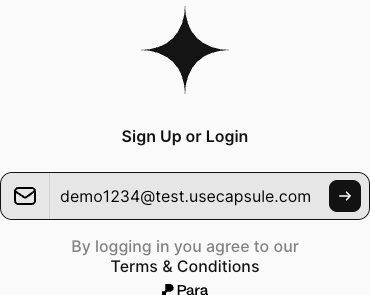
### Email Testing
For email-based authentication testing in the `BETA` environment:
* Use any email ending in `@test.getpara.com`
* Examples: `dev@test.getpara.com`, `test1@test.getpara.com`, `user123@test.getpara.com`
* **Any OTP code will work** for verification (e.g., `123456`, `000000`, `111111`)
* Perfect for testing email-based authentication flows
 ### Phone Number Testing
For SMS-based authentication testing in the BETA environment:
* Use US phone numbers (+1) in format: `(area code)-555-xxxx`
* Examples: `(425)-555-1234`, `(206)-555-9876`, `(310)-555-0001`
* **Any OTP code will work** for verification
* Ideal for testing phone-based authentication flows
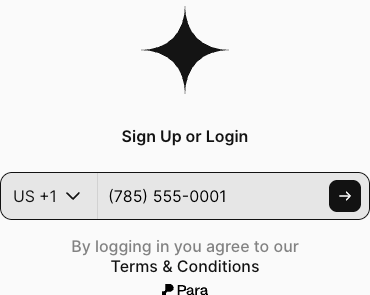
### Phone Number Testing
For SMS-based authentication testing in the BETA environment:
* Use US phone numbers (+1) in format: `(area code)-555-xxxx`
* Examples: `(425)-555-1234`, `(206)-555-9876`, `(310)-555-0001`
* **Any OTP code will work** for verification
* Ideal for testing phone-based authentication flows
 ## Important Testing Notes
These test credentials **only work in the BETA Environment**. They will not work in production. Make sure your Para SDK is configured for the BETA environment when using these credentials.
### User Limits
* Beta accounts are limited to **50 users**
* If you reach the 50 user limit, you will need to delete users to continue testing
* Regular cleanup helps you stay within limits during development
### Managing Test Users
Navigate to your [Para Developer Portal](https://developer.getpara.com) and log in with your developer credentials
Click on "Users" in the left sidebar. You'll be taken to a list of users for your API key where you can see the identifier and login method for each user.
Click on any user to open a drawer with user details. Inside the drawer, click "Delete User" to remove that specific user.
If you need to clear all test users at once, use the "Delete All Users" button available on the users page.
**Important:** Deleting users is only possible while in the BETA environment. In production, wallets are permanent and cannot be deleted.
## Troubleshooting
* Verify you're using the BETA environment
* Check that the email ends exactly with `@test.getpara.com`
* Ensure phone numbers follow the `(xxx)-555-xxxx` format
* Access the Developer Portal to delete unused test users
* Consider using a naming convention to identify old test accounts
* Set up automated cleanup in your test suite
* Confirm you're in BETA environment (not production)
* Any numeric OTP should work (e.g., "123456")
* Check for typos in the test credentials
## Next Steps
Get started with Para integration
Configure your developer portal
Manage user sessions effectively
## Important Testing Notes
These test credentials **only work in the BETA Environment**. They will not work in production. Make sure your Para SDK is configured for the BETA environment when using these credentials.
### User Limits
* Beta accounts are limited to **50 users**
* If you reach the 50 user limit, you will need to delete users to continue testing
* Regular cleanup helps you stay within limits during development
### Managing Test Users
Navigate to your [Para Developer Portal](https://developer.getpara.com) and log in with your developer credentials
Click on "Users" in the left sidebar. You'll be taken to a list of users for your API key where you can see the identifier and login method for each user.
Click on any user to open a drawer with user details. Inside the drawer, click "Delete User" to remove that specific user.
If you need to clear all test users at once, use the "Delete All Users" button available on the users page.
**Important:** Deleting users is only possible while in the BETA environment. In production, wallets are permanent and cannot be deleted.
## Troubleshooting
* Verify you're using the BETA environment
* Check that the email ends exactly with `@test.getpara.com`
* Ensure phone numbers follow the `(xxx)-555-xxxx` format
* Access the Developer Portal to delete unused test users
* Consider using a naming convention to identify old test accounts
* Set up automated cleanup in your test suite
* Confirm you're in BETA environment (not production)
* Any numeric OTP should work (e.g., "123456")
* Check for typos in the test credentials
## Next Steps
Get started with Para integration
Configure your developer portal
Manage user sessions effectively