> ## Documentation Index
> Fetch the complete documentation index at: https://docs.getpara.com/llms.txt
> Use this file to discover all available pages before exploring further.

# Connect EVM Wallets

> Learn how to combine the Para Modal with EVM wallets.

export const MethodDocs = ({name, description, parameters = [], returns, deprecated = false, since = null, async = false, static: isStatic = false, tag = null, defaultExpanded = false, preventCollapse = false, id = 'method'}) => {
  const [isExpanded, setIsExpanded] = useState(defaultExpanded || preventCollapse);
  const [isHovered, setIsHovered] = useState(false);
  const [isCopied, setIsCopied] = useState(false);
  const [hoveredParam, setHoveredParam] = useState(null);
  const [hoveredReturn, setHoveredReturn] = useState(false);
  const parseMethodName = fullName => {
    const match = fullName.match(/^([^(]+)(\()([^)]*)(\))$/);
    if (match) {
      return {
        name: match[1],
        openParen: match[2],
        params: match[3],
        closeParen: match[4]
      };
    }
    return {
      name: fullName,
      openParen: '',
      params: '',
      closeParen: ''
    };
  };
  const methodParts = parseMethodName(name);
  const handleCopy = e => {
    e.stopPropagation();
    navigator.clipboard.writeText(name);
    setIsCopied(true);
    setTimeout(() => setIsCopied(false), 2000);
  };
  return <div className={`not-prose rounded-2xl border border-gray-200 overflow-hidden transition-colors duration-200 mb-6 ${isHovered && !preventCollapse ? 'bg-gray-50' : 'bg-white'}`} onMouseEnter={() => setIsHovered(true)} onMouseLeave={() => setIsHovered(false)}>
      <button onClick={() => !preventCollapse && setIsExpanded(!isExpanded)} className={`w-full bg-transparent p-6 border-none text-left ${preventCollapse ? 'cursor-default' : 'cursor-pointer'}`}>
        <div className="flex items-start justify-between gap-4">
          <div className="flex-1 flex flex-col gap-2">
            <div className="flex items-center gap-3 flex-wrap">
              <div className="flex items-center gap-2">
                {async && <span className="px-1.5 py-0.5 text-[0.625rem] font-medium bg-purple-200 text-purple-800 rounded-lg">
                    async
                  </span>}
                {isStatic && <span className="px-1.5 py-0.5 text-[0.625rem] font-medium bg-violet-200 text-violet-900 rounded-lg">
                    static
                  </span>}
                {tag && <span className="px-1.5 py-0.5 text-[0.625rem] font-medium bg-teal-200 text-teal-800 rounded-lg">
                    {tag}
                  </span>}
              </div>

              <code className="text-lg font-mono font-semibold text-gray-900">
                <span>{methodParts.name}</span>
                <span className="text-gray-500 font-normal">{methodParts.openParen}</span>
                <span className="text-blue-600 font-normal">{methodParts.params}</span>
                <span className="text-gray-500 font-normal">{methodParts.closeParen}</span>
              </code>

              {deprecated && <span className="px-1.5 py-0.5 text-[0.625rem] font-medium bg-red-100 text-red-800 rounded-lg flex items-center gap-0.5">
                  ⚠ Deprecated
                </span>}
              {since && <span className="px-1.5 py-0.5 text-[0.625rem] font-medium bg-blue-100 text-blue-800 rounded-lg">
                  Since v{since}
                </span>}
            </div>

            <p className="text-sm text-gray-600 leading-6 m-0">
              {description}
            </p>
          </div>

          <div className="flex items-center gap-2 flex-shrink-0">
            <button onClick={handleCopy} className="p-2 bg-transparent border-none rounded-md cursor-pointer transition-colors duration-200 text-gray-500 hover:bg-gray-100" title="Copy method signature">
              {isCopied ? <svg width="16" height="16" viewBox="0 0 24 24" fill="none" stroke="#16a34a" strokeWidth="2" strokeLinecap="round" strokeLinejoin="round">
                  <polyline points="20 6 9 17 4 12"></polyline>
                </svg> : <svg width="16" height="16" viewBox="0 0 24 24" fill="none" stroke="currentColor" strokeWidth="2" strokeLinecap="round" strokeLinejoin="round">
                  <rect x="9" y="9" width="13" height="13" rx="2" ry="2"></rect>
                  <path d="M5 15H4a2 2 0 0 1-2-2V4a2 2 0 0 1 2-2h9a2 2 0 0 1 2 2v1"></path>
                </svg>}
            </button>

            {!preventCollapse && <span className="text-gray-400">
                {isExpanded ? <svg width="20" height="20" viewBox="0 0 24 24" fill="none" stroke="currentColor" strokeWidth="2" strokeLinecap="round" strokeLinejoin="round">
                    <polyline points="18 15 12 9 6 15"></polyline>
                  </svg> : <svg width="20" height="20" viewBox="0 0 24 24" fill="none" stroke="currentColor" strokeWidth="2" strokeLinecap="round" strokeLinejoin="round">
                    <polyline points="6 9 12 15 18 9"></polyline>
                  </svg>}
              </span>}
          </div>
        </div>
      </button>

      <div className={`overflow-hidden transition-all duration-300 ease-in-out px-6 border-t border-gray-200 ${isExpanded ? 'max-h-[2000px] opacity-100 pb-6' : 'max-h-0 opacity-0 pb-0'}`}>
        {parameters.length > 0 && <div className="pt-6">
            <div className="flex items-center gap-2 mb-3">
              <h3 className="text-sm font-semibold text-gray-700 uppercase tracking-wider m-0">
                Parameters
              </h3>
              <span className="text-xs text-gray-500">({parameters.length})</span>
            </div>
            <div>
              {parameters.map((param, index) => <div key={index} className={`pl-4 border-l-2 transition-colors duration-200 ${hoveredParam === index ? 'border-gray-300' : 'border-gray-200'} ${index < parameters.length - 1 ? 'mb-3' : ''}`} onMouseEnter={() => setHoveredParam(index)} onMouseLeave={() => setHoveredParam(null)}>
                  <div className="flex items-baseline gap-2 mb-1 flex-wrap">
                    <code className="font-mono text-sm font-medium text-gray-900">
                      {param.name}
                    </code>
                    <span className="text-sm text-gray-500">:</span>
                    {param.typeLink ? <a href={param.typeLink} className="no-underline">
                        <code className="font-mono text-sm text-blue-600 bg-transparent px-1 py-0.5 rounded-md cursor-pointer transition-all duration-200 hover:bg-gray-100 hover:text-blue-700">
                          {param.type}
                        </code>
                      </a> : <code className="font-mono text-sm text-blue-600 bg-transparent px-1 py-0.5 rounded-md">
                        {param.type}
                      </code>}
                    {param.required && <span className="px-1.5 py-0.5 text-[0.625rem] font-medium bg-yellow-100 text-yellow-800 rounded-lg">
                        Required
                      </span>}
                    {param.optional && <span className="px-1.5 py-0.5 text-[0.625rem] font-medium bg-gray-100 text-gray-600 rounded-lg">
                        Optional
                      </span>}
                  </div>
                  {param.description && <p className="text-sm text-gray-600 mt-1 mb-0">
                      {param.description}
                    </p>}
                  {param.defaultValue !== undefined && <p className="text-sm text-gray-500 mt-1">
                      Default: <code className="font-mono text-[0.625rem] bg-gray-100 px-1.5 py-0.5 rounded-lg">{param.defaultValue}</code>
                    </p>}
                </div>)}
            </div>
          </div>}

        {returns && <div className={`${parameters.length > 0 ? 'mt-6' : 'pt-6'}`}>
            <h3 className="text-sm font-semibold text-gray-700 uppercase tracking-wider m-0 mb-3">
              Returns
            </h3>
            <div className={`pl-4 border-l-2 transition-colors duration-200 ${hoveredReturn ? 'border-gray-300' : 'border-gray-200'}`} onMouseEnter={() => setHoveredReturn(true)} onMouseLeave={() => setHoveredReturn(false)}>
              <div className="flex items-baseline gap-2 mb-1">
                {returns.typeLink ? <a href={returns.typeLink} className="no-underline">
                    <code className="font-mono text-sm text-blue-600 bg-transparent px-1 py-0.5 rounded cursor-pointer transition-all duration-200 hover:bg-gray-100 hover:text-blue-700">
                      {returns.type}
                    </code>
                  </a> : <code className="font-mono text-sm text-blue-600 bg-transparent px-1 py-0.5 rounded">
                    {returns.type}
                  </code>}
              </div>
              {returns.description && <p className="text-sm text-gray-600 mt-1 mb-0">
                  {returns.description}
                </p>}
            </div>
          </div>}
      </div>
    </div>;
};

export const Link = ({href, label, newTab = false}) => {
  const [isHovered, setIsHovered] = useState(false);
  return <a href={href} target={newTab ? '_blank' : '_self'} rel={newTab ? 'noopener noreferrer' : undefined} className="not-prose inline-block relative text-black font-semibold cursor-pointer border-b-0 no-underline" onMouseEnter={() => setIsHovered(true)} onMouseLeave={() => setIsHovered(false)}>
      {label}
      <span className={`absolute left-0 bottom-0 w-full rounded-sm bg-gradient-to-r from-orange-600 to-purple-600 transition-all duration-300 ${isHovered ? 'h-0.5' : 'h-px'}`} />
    </a>;
};

<Frame>
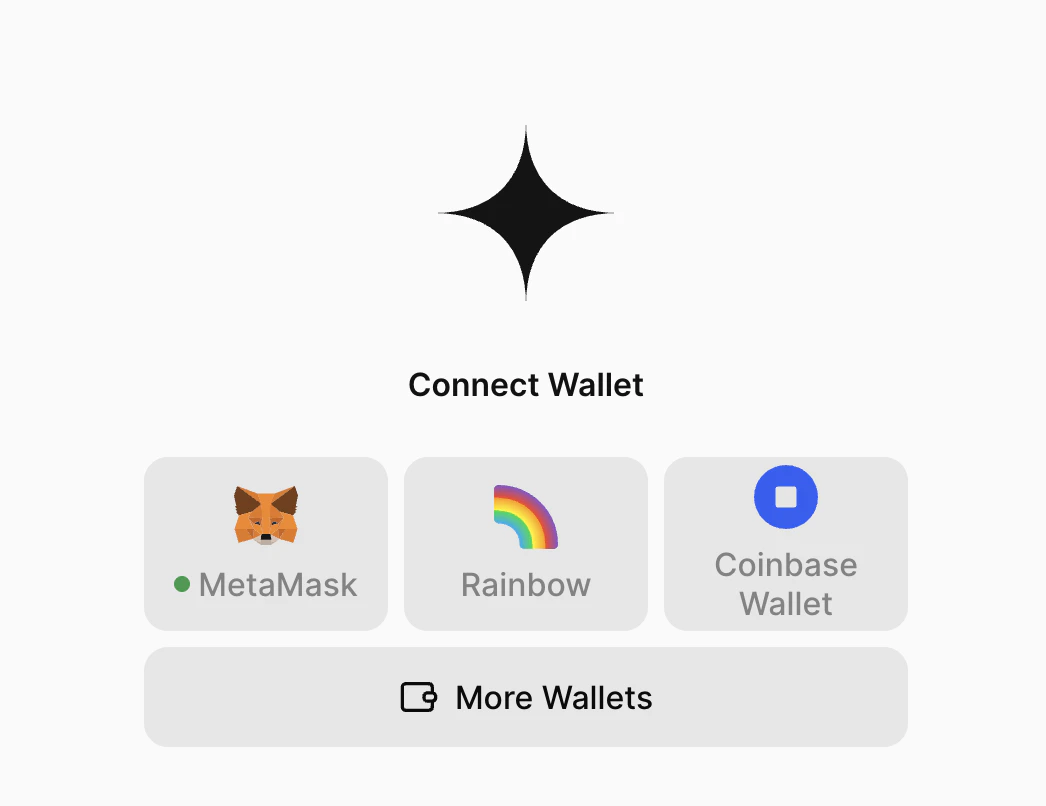
  <img width="350" src="https://mintcdn.com/getpara/8_K4LmkBd5jFZ3IC/images/v3/para-external-wallets-evm.png?fit=max&auto=format&n=8_K4LmkBd5jFZ3IC&q=85&s=7b7418fb58f01aedc67d99093f8c914c" alt="EVM wallet integration" data-path="images/v3/para-external-wallets-evm.png" />
</Frame>

This guide will walk you through the process of integrating EVM Wallets into your Para Modal and Para-enabled
application, allowing you to onboard new users and connect with existing users who may already have external wallets
like MetaMask, Coinbase Wallet and more.

## Prerequisites

<Note>
  Before integrating wallet connections, ensure you have an existing Para project with the Para Modal set up. If you
  haven't set up Para yet, follow one of our Framework Setup guides like this <Link label="React + Vite" href="/v3/react/setup/vite#para-with-react-vite" /> guide.
</Note>

<Card title="Looking for a lighter version?" description="If you want a more minimal implementation with reduced bundle size, check out the React SDK Lite guide" href="/v3/react/guides/react-sdk-lite" icon="feather" />

## How It Works

Para's EVM wallet integration is powered by <Link label="Wagmi" href="https://wagmi.sh" />, the popular React hooks library for Ethereum. When you configure the `ParaProvider` with external wallet support, Para automatically creates and manages the Wagmi provider internally. This means:

* **No manual Wagmi setup required** - Para handles all Wagmi provider configuration
* **All Wagmi hooks available** - Use any Wagmi hook in your application alongside Para hooks
* **Unified configuration** - Configure chains and settings through Para's `externalWalletConfig`
* **Automatic connector management** - Para controls wallet connectors based on your configuration

## Setting up EVM Wallets

Setup is simple - just wrap your app in a provider and pass the appropriate props and configuration options to the
provider. Once configured, the Para modal and wallet options will automatically appear in the modal when opened.

Para provides seamless integration with popular EVM wallets including

<Link label="MetaMask" href="https://metamask.io" />, <Link label="Rainbow" href="https://rainbow.me" />, <Link label="Coinbase Wallet" href="https://www.coinbase.com/wallet" />, <Link label="WalletConnect" href="https://walletconnect.network" />, <Link label="Zerion" href="https://zerion.io" />, <Link label="Safe" href="https://safe.global" />, <Link label="Rabby" href="https://rabby.io" />, <Link label="OKX" href="https://web3.okx.com/" />, <Link label="HaHa" href="https://www.haha.me/" />, <Link label="Backpack" href="https://backpack.app/" />, and <Link label="Phantom" href="https://www.phantom.com/" />.

<Note>
  **Safe App Registration**: To use Safe as an external wallet, you'll need to register your application as a Safe App in the <Link label="Safe App Registry" href="https://help.safe.global/en/articles/145503-how-to-create-a-safe-app-with-safe-apps-sdk-and-list-it" />. This is required because Safe apps need to run within Safe's context to ensure proper security and functionality. The registration process involves providing your app's details and undergoing a review by the Safe team.
</Note>

### Import components

Import the wallet connectors and supporting components you need. Adjust the imports based on which wallets you want to support:

```typescript main.tsx theme={null}
import {
  ParaProvider,
  ExternalWallet,
} from "@getpara/react-sdk";
import { QueryClient, QueryClientProvider } from "@tanstack/react-query";
import { sepolia, celo, mainnet, polygon } from "wagmi/chains";
```

### Configure the providers

Configure the `ParaProvider` component by wrapping your application content in the `QueryClientProvider` and `ParaProvider` components. Pass in the required configuration props:

```typescript main.tsx theme={null}
const queryClient = new QueryClient();

export const App = () => {
  return (
    <QueryClientProvider client={queryClient}>
      <ParaProvider
        // ... rest of your provider config
        externalWalletConfig: {
          wallets: [ExternalWallet.Metamask],
          evmConnector: {
            config: {
              chains: [mainnet, polygon, sepolia, celo],
            },
            // wagmiProviderProps={}
          },
          walletConnect: {
            projectId: 'your_walletconnect_project_id',
          },
        }>
        {/* Your app content */}
      </ParaProvider>
    </QueryClientProvider>
  );
};
```

<Info>
  The `ParaProvider` automatically creates and manages the Wagmi provider internally. You only need to provide the `QueryClientProvider` - Para handles all Wagmi setup for you.
</Info>

### External Wallet Configuration

<MethodDocs
  name="ExternalWalletConfig<chains, transports>"
  tag="Type"
  description="Configuration for external wallets, including connectors for EVM, Cosmos, Solana, and Wallet Connect."
  parameters={[
{
  name: "appDescription",
  type: "string",
  optional: true,
  description: "A description of your app, displayed in some external wallets."
},
{
  name: "appUrl",
  type: "string",
  optional: true,
  description: "A URL for your app, displayed in some external wallets."
},
{
  name: "appIcon",
  type: "string",
  optional: true,
  description: "An icon for your app, displayed in some external wallets."
},
{
  name: "evmConnector",
  type: "{ config: Omit<ParaEvmProviderConfigNoWallets<chains, transports>, 'appName' | 'appDescription' | 'appUrl' | 'appIcon' | 'projectId'>, wagmiProviderProps?: ParaWagmiProviderProps }",
  optional: true,
  description: "Config for the EVM external wallets connector using Wagmi."
},
{
  name: "cosmosConnector",
  type: "{ config: ParaCosmosProviderConfigNoWallets, grazProviderProps?: ParaGrazProviderProps }",
  optional: true,
  description: "Config for the Cosmos external wallets connector using Graz."
},
{
  name: "solanaConnector",
  type: "{ config: Omit<ParaSolanaProviderConfigNoWallets, 'appIdentity'> & Pick<Partial<ParaSolanaProviderConfigNoWallets>, 'appIdentity'> }",
  optional: true,
  description: "Config for the Solana external wallets connector using @solana/wallet-adapter-react."
},
{
  name: "walletConnect",
  type: "{ projectId: string }",
  optional: true,
  description: "Config for any connectors that use Wallet Connect."
},
{
  name: "wallets",
  type: "TExternalWallet[]",
  typeLink: "/v3/references/types/texternalwallet",
  optional: true,
  description: "Which external wallets to show and in what order they should be displayed."
},
{
  name: "createLinkedEmbeddedForExternalWallets",
  type: "TExternalWallet[] | 'ALL'",
  typeLink: "/v3/references/types/texternalwallet",
  optional: true,
  description: "Array of external wallets that will also include linked embedded wallets. Also includes a wallet verification step."
},
{
  name: "includeWalletVerification",
  type: "boolean",
  optional: true,
  description: "Whether or not to validate a signature from the connected external wallet and create a Para session."
},
{
  name: "connectionOnly",
  type: "boolean",
  optional: true,
  description: "Whether or not to treat external wallets as connections only, skipping all Para functionality."
}
]}
/>

<Note>
  **WalletConnect (Reown) Setup:** You'll need a WalletConnect project ID if you're using their connector. Get one from
  the <Link label="WalletConnect (Reown) Developer Portal" href="https://cloud.reown.com/sign-up" />.
  You can use an empty string for testing, but this isn't recommended for production.
</Note>

<Tip>
  The `ParaProvider` extends Wagmi's provider functionality, giving you access to all <Link label="Wagmi Hooks" href="https://wagmi.sh/react/getting-started" /> in your application. Place the provider near the root of your component tree for optimal performance.
</Tip>

## Accessing the Wagmi Configuration

Para provides two methods to access the Wagmi configuration depending on your use case:

### During Runtime (Inside ParaProvider)

Use the `getWagmiConfig` function when you need the configuration inside the ParaProvider context but outside of React hooks:

```typescript theme={null}
import { getWagmiConfig } from "@getpara/evm-wallet-connectors";

// Use anywhere inside ParaProvider context
const wagmiConfig = getWagmiConfig();

// Now you can use with @wagmi/core actions
import { getAccount } from '@wagmi/core'
const account = getAccount(wagmiConfig)
```

### Before ParaProvider Initialization

If you need the Wagmi config before the ParaProvider mounts (e.g., for server-side operations or early initialization), use `createParaWagmiConfig`:

```typescript theme={null}
import { createParaWagmiConfig } from "@getpara/evm-wallet-connectors";
import ParaWeb from "@getpara/react-sdk";

// Initialize your Para client
// IMPORTANT: This client MUST be provided to the paraClientConfig object of the ParaProvider!
const para = new ParaWeb(YOUR_ENV, YOUR_API_KEY)

// Initialize config early
const wagmiConfig = createParaWagmiConfig(para, {
  chains: [mainnet, polygon],
  // ... other wagmi config options
});

// ParaProvider will automatically use this pre-created config
// when it mounts later
```

<Info>
  The `createParaWagmiConfig` function creates the same configuration that ParaProvider would create internally. This enables you to use the config with `@wagmi/core` actions before your React app renders.
</Info>

## Server-Side Rendering (SSR) Considerations

When using Next.js or other SSR frameworks, proper client-side initialization is crucial since web3 functionality relies on browser APIs. **SSR management is the developer's responsibility**, and Para provides the tools to handle it effectively.

### Handling Hydration Issues

If you encounter hydration errors related to `@getpara/evm-wallet-connectors`, this indicates that Wagmi's store hydration is happening too eagerly. Since Para uses Wagmi internally, all <Link label="Wagmi SSR techniques" href="https://wagmi.sh/react/guides/ssr" /> apply:

1. **Enable SSR mode** in your configuration:

```typescript theme={null}
externalWalletConfig={{
  evmConnector: {
    config: {
      chains: [mainnet],
      ssr: true, // Enable SSR support
    },
  },
  // ... rest of config
}}
```

2. **Use dynamic imports** for client-side only rendering:

```typescript theme={null}
import dynamic from 'next/dynamic'

const ParaProvider = dynamic(
  () => import('@getpara/react-sdk').then(mod => mod.ParaProvider),
  { ssr: false }
)
```

3. **Add the `'use client'` directive** in Next.js 13+:

```typescript theme={null}
'use client'

import { ParaProvider } from '@getpara/react-sdk'

export function Providers({ children }) {
  // Provider implementation
}
```

### Cookie-Based Persistence

For advanced SSR scenarios where you want to persist wallet connection state across server renders, implement <Link label="Wagmi's cookie storage" href="https://wagmi.sh/react/guides/ssr#persistence-using-cookies" />:

```typescript theme={null}
import { cookieStorage, createStorage } from 'wagmi'

externalWalletConfig={{
  evmConnector: {
    config: {
      chains: [mainnet],
      ssr: true,
      storage: createStorage({
        storage: cookieStorage,
      }),
    },
  },
  // ... rest of config
}}
```

<Warning>
  Cookie-based persistence requires proper cookie handling on your server. This is entirely managed by the developer - Para provides the configuration options, but implementation depends on your server framework.
</Warning>

## External Wallets with Linked Embedded Wallets

You can also provision linked embedded wallets for external wallets.

In this case, the external wallet would be the Para auth method for the user's embedded wallet (instead of an email or social login). Embedded wallets would be created according to your API key settings.

To enable this, you can include the `createLinkedEmbeddedForExternalWallets` prop to indicate which external wallets this setting should be applied to.

<Info>
  The mapping between an external wallet and its linked embedded wallet is maintained by Para and is **not deterministically generated**. If your application needs access to this mapping, you can use Para's lookup methods (such as `getWallets`) to retrieve it, or store the association in an on or off-chain system (e.g. a database, smart contract, or program).
</Info>

## Advanced Provider Pattern

Setting up a dedicated provider component that encapsulates all the necessary providers and modal state management is
considered a best practice. This pattern makes it easier to manage the modal state globally and handle session
management throughout your application.

## Configuring the Para Modal

After setting up your providers you need to configure the ParaModal component to display the external wallets and
authentication options to your users. You need to pass in the `externalWallets` and `authLayout` configuration options
to the ParaModal component to control which of the wallets show in the modal that were specified in the provider
configuration.

### Set the modal props

```typescript theme={null}
paraModalConfig={{
  authLayout: ["AUTH_FULL","EXTERNAL_FULL"]
  theme: {
    mode: "light",
    foregroundColor: "#000000",
    backgroundColor: "#FFFFFF",
  }
  logo: yourLogoUrl
  // ... other modal config
}}
```

#### Modal Props Config

Modal prop options for customizing the Para Modal are included below. For advanced customization options, refer to

<Link label="Customization Guide" href="/v3/react/guides/customization/modal#modal-customization" />.

<MethodDocs
  name="ParaModalProps"
  tag="Type"
  description="Configuration options for the Para modal."
  parameters={[
{
  name: "para",
  type: "ParaWeb",
  optional: true,
  description: "Your ParaWeb instance."
},
{
  name: "isOpen",
  type: "boolean",
  optional: true,
  description: "Whether or not the modal is open."
},
{
  name: "twoFactorAuthEnabled",
  type: "boolean",
  optional: true,
  description: "Whether or not to show two-factor authentication steps to users. Defaults to `false`."
},
{
  name: "recoverySecretStepEnabled",
  type: "boolean",
  optional: true,
  description: "Whether or not to show the wallet recovery to users. Defaults to `false`."
},
{
  name: "oAuthMethods",
  type: "TOAuthMethod[]",
  typeLink: "/v3/references/types/toauthmethod",
  optional: true,
  description: "Which OAuth methods (if any) to show. Defaults to `true`."
},
{
  name: "disableEmailLogin",
  type: "boolean",
  optional: true,
  description: "Whether or not to allow for email login. If true, only OAuth login will be available. Defaults to `false`."
},
{
  name: "disablePhoneLogin",
  type: "boolean",
  optional: true,
  description: "Whether or not to allow for phone login. If true, only OAuth login will be available. Defaults to `false`."
},
{
  name: "theme",
  type: "ParaModalTheme",
  optional: true,
  description: "Theming to be used throughout the modal."
},
{
  name: "logo",
  type: "string",
  optional: true,
  description: "Logo to be shown throughout the modal."
},
{
  name: "onRampTestMode",
  type: "boolean",
  optional: true,
  description: "Whether or not to run configured on-ramp providers in test mode."
},
{
  name: "hideWallets",
  type: "boolean",
  optional: true,
  description: "Whether to display information about on-chain wallets and use related terminology in the Para Modal."
},
{
  name: "currentStepOverride",
  type: "ModalStepProp | undefined",
  optional: true
},
{
  name: "bareModal",
  type: "boolean",
  optional: true,
  description: "Whether or not to display just the modal without the overlay component. Defaults to `false`."
},
{
  name: "embeddedModal",
  type: "boolean",
  optional: true,
  description: "Whether or not to use the embedded modal styling. This is typically only used internally by Para and may result in unwanted styling!"
},
{
  name: "className",
  type: "string",
  optional: true
},
{
  name: "authLayout",
  type: "TAuthLayout[]",
  optional: true,
  description: "How the modal should order the components on the main auth screen. Defaults to [AuthLayout.AUTH_FULL, AuthLayout.EXTERNAL_FULL]."
},
{
  name: "defaultAuthIdentifier",
  type: "string",
  optional: true,
  description: "Default email or phone number (formatted like: +15555555555) to pre-populate the input field."
},
{
  name: "onModalStepChange",
  type: "(value: OnModalStepChangeValue) => void",
  optional: true,
  description: "Called when the modal step changes."
},
{
  name: "onClose",
  type: "() => void",
  optional: true,
  description: "Called when the modal is closed."
},
{
  name: "isGuestModeEnabled",
  type: "boolean",
  optional: true,
  description: "Whether to enable guest login. A guest user will be provisioned embedded wallets that they will then claim upon signing up through your app."
},
{
  name: "loginTransitionOverride",
  type: "(para: ParaWeb) => Promise<void>",
  optional: true
},
{
  name: "createWalletOverride",
  type: "(para: ParaWeb) => Promise<{ recoverySecret?: string, walletIds: CurrentWalletIds }>",
  typeLink: "/v3/references/types/currentwalletids",
  optional: true
},
{
  name: "supportedAccountLinks",
  type: "SupportedAccountLinks",
  typeLink: "/v3/references/types/supportedaccountlinks",
  optional: true,
  description: "Which external accounts or wallets to allow your users to link to their accounts. Defaults to your Developer Portal configuration or to all available account types."
},
{
  name: "balances",
  type: "BalancesConfig",
  optional: true,
  description: "Configuration for the profile balances displayed in the Para Modal."
}
]}
/>

## External Wallet Verification via SIWE

External wallet verification via Sign in With Ethereum adds a verification step during external connection to ensure the user owns the wallet.
Enabling this feature establishes a valid Para session, which you can later use in your app to securely validate wallet ownership.
To enable this, set the following option on your `externalWalletConfig` of your `ParaProvider`:

```
externalWalletConfig={{
  includeWalletVerification: true,
  ...REST_OF_CONFIG
}}
```

## Connection Only Wallets

Connection only external wallets bypass all Para functionality (account creation, user tracking, etc.) when connecting an external wallet. To enable this, set the following option on your `externalWalletConfig` of your `ParaProvider`:

```
externalWalletConfig={{
  connectionOnly: true,
  ...REST_OF_CONFIG
}}
```

<Note>
  Since connection only wallets bypass Para, most Para functionality will be unavailable. This includes linked embedded wallets, external wallet verification, on & off ramping, etc.
</Note>

## Examples

For an example of what the Para External Wallets Modal might look like in your application, check out our live demo:

<Card horizontal title="Modal Designer" fontAwesomeIcon="https://mintlify.b-cdn.net/v6.6.0/regular/palette.svg" href="https://demo.getpara.com/" description="View a live demo of the Para External Wallets Modal in action." />

For an example code implementation using EVM Wallets, check out our GitHub repository:

<Card horizontal title="GitHub Repository" fontAwesomeIcon="https://mintlify.b-cdn.net/v6.6.0/brands/github.svg" href="https://github.com/getpara/examples-hub/tree/3.0.0" description="View the code implementation of the Para Modal with EVM Wallets." />

## Next Steps

Now that you have integrated EVM wallets into your Para Modal, you can explore more advanced features like signing using
the Para SDK with popular libraries like `Ethers.js`.

<Card horizontal title="EVM Integrations" fontAwesomeIcon="https://mintlify.b-cdn.net/v6.6.0/brands/ethereum.svg" href="/v3/react/guides/web3-operations/evm/setup-libraries" description="Learn how to integrate the Para SDK with popular EVM libraries like Ethers.js and Wagmi." />