;
};
With the REST API, your backend is the initiator. A signing request that needs approval comes back as a `403` that your backend stores and sends again once approvers have decided.
Require one or more people to approve a request before Para signs it. This page shows how to add an approval requirement to a policy, give people the right to approve, and follow a case from the request to the signature.
Build and test approvals with a **Development** key, which uses Para's beta environment. An approval requirement reaches production with the rest of its policy, through a production review.
## How conditional approvals work
A rule with `effect: "require_approval"` and an `approvalRequirement` holds every request it matches. Para opens an approval case for the request, and eligible people approve or reject it. Once enough of them approve, the same request can sign.
| Who | Part in a case | How Para identifies them |
| - | - | - |
| Initiator | Sends the request that needs approval: your backend for app-owned wallets, or the signed-in user for user-owned wallets. | The secret API key or user session that signs |
| Requester | Optional, for app-owned wallets. The user of your app who asked your backend to sign. Para leaves them out of every stage, so they cannot approve their own request, and lets them cancel it. | `initiatorUserId` on the signing request |
| Approvers | Approve or reject the case. Each stage of the requirement names who is eligible and how many approvals it needs. | Roles and attributes you assign to Para users in an authorization scope |
| Configuration managers | Optional. Change the requirement's adjustable approval settings, such as the number of approvals a stage needs. | `configurationManagerEligibility` on the requirement |
Requesters, approvers and configuration managers are Para users with a wallet connected to your app. They act while signed in to your app, or from a Para Portal link that your app opens for them.
Guardrails and Requests can both require approvals. In a Request, an approval rule applies only after the user consents to the policy, the same as its other rules.
## Set up an approval requirement
Setup spans the policy, your backend and each wallet the requirement should cover. An authorization scope ties them together: it is an ID you choose, such as `treasury`, that groups approvers and wallets.
Para turns conditional approvals on for each app. Until they are on, saving a policy that has an `approvalRequirement` fails with `permissions_v2_extension_unavailable`. Contact Para if you get that code.
Add `effect: "require_approval"` and an `approvalRequirement` to the rule that should pause signing:
```json theme={null}
{
"id": "large-transfers-need-approval",
"effect": "require_approval",
"actions": ["transfer_native"],
"when": { "kind": "compare", "fact": "request.value.baseUnits", "op": "gte", "value": "1000000000000000000" },
"approvalRequirement": {
"id": "finance-review",
"stages": [
{ "id": "finance", "requiredApprovals": 2, "eligibility": [{ "kind": "role", "name": "finance" }] }
]
}
}
```
Stages run in order, up to five. Each stage sets `requiredApprovals`, from 1 to 25 or `"all"`, and `eligibility`, a list of roles or attributes; matching any one entry makes a person eligible. With `"all"`, the stage needs every eligible person, so it works only while at most 25 people are eligible. To add stages for larger amounts, set `amountFact` on the requirement and a `minimumAmount` on each later stage.
Para accepts assignments only for roles and attributes that an active policy declares, so activate the policy before you assign anyone.
From your backend, give each approver a role or attribute in the scope, then bind every wallet the requirement covers to the same scope. Both calls use the REST SDK and your secret API key:
```ts theme={null}
import { ParaRestClient } from "@getpara/rest-sdk";
const para = new ParaRestClient({ apiKey: process.env.PARA_SECRET_KEY!, env: "BETA" });
await para.replaceUserApprovalAssignments("treasury", approverUserId, {
expectedRevision: 0,
assignments: [{ kind: "role", name: "finance" }],
});
await para.setWalletAuthorizationScope(walletId, {
expectedRevision: 0,
authorizationScopeId: "treasury",
});
```
Use `expectedRevision: 0` for the first write. For later changes, read the record and pass its current `revision`. Approvers must have a wallet connected to your app; assigning a role to anyone else returns `400` with `user is not linked to this app`.
A request that matches the rule fails instead of opening a case when the setup is incomplete. A wallet with no scope binding returns `403 FORBIDDEN`. When the first stage has no eligible people, fewer than its `requiredApprovals`, or more than 25 with `"all"`, the request returns `400` with `conditional approval stage exceeds supported limits`. More than 100 eligible people returns `400` with `approval stage resolves to more than 100 eligible people`. The requester never counts as eligible, and neither does the initiator outside signature collections.
Para checks each later stage when the stage before it completes, and leaves out everyone who has already approved the case. If the later stage is left with too few eligible people, or more than 25 with `"all"`, the case ends as `invalidated` with `terminalReason` `stage_snapshot_invalid`. If it would have more than 100, the approval that completes the earlier stage fails with `400` and `approval stage resolves to more than 100 eligible people`, and the case stays `pending`.
For example, if the only person with the `cfo` role also holds `finance` and approves the first stage, a second stage for `cfo` has nobody left. Give each stage enough people who do not also approve the stages before it.
Assignments, wallet bindings and approval settings belong to the environment where you write them. After your policy is published to production, repeat them with your production secret key.
The [approval requirements reference](/v3/references/permissions/approval-requirements) covers every field, including amount bands and adjustable approval settings.
## Require approval for Safe payments
When Para wallets own a Safe, Para can read the payment inside a Safe transaction and hold it for approval. Rules read it with the Safe payment facts: `request.safe.to` for the recipient, `request.safe.value.*` for a payment in the chain's native token and `request.safe.token.*` for an ERC-20 transfer. They apply to two EVM actions: `execute_safe_transaction`, the `execTransaction` call that runs a Safe transaction, and `sign_typed_data`, an owner's signature over the Safe transaction.
```json theme={null}
{
"id": "large-safe-payments-need-approval",
"effect": "require_approval",
"actions": ["execute_safe_transaction"],
"when": { "kind": "compare", "fact": "request.safe.value.baseUnits", "op": "gte", "value": "1000000000000000000" },
"approvalRequirement": {
"id": "safe-payment-review",
"stages": [
{ "id": "finance", "requiredApprovals": 2, "eligibility": [{ "kind": "role", "name": "finance" }] }
]
}
}
```
Para reads a Safe transaction as a payment only when it makes a single call (`operation` `0`) that sends the native token or calls `transfer` or `transferFrom` on an ERC-20 token, the call does not target the Safe itself, and `gasPrice` is `0`. Keep these rules in mind:
* Native and token payments use separate facts. Write one rule for each, because a rule that reads both fails closed on the one the payment does not use.
* On `execute_safe_transaction`, `request.value.baseUnits` is only the value attached to the outer `execTransaction` call. Constrain it as well if your owners could attach value.
* To add stages for larger Safe payments, set `amountFact` to `request.safe.value.baseUnits` or `request.safe.token.value.baseUnits`.
* In a case, `request.safePayment` describes the payment with `kind` (`native` or `erc20`), `safe`, `to`, `baseUnits` and `asset`, plus `from`, the account the tokens are pulled from, for an ERC-20 `transferFrom`. The Portal approval page shows it under **Safe payment**.
A rule that reads Safe payment facts denies every Safe transaction Para cannot read as a single payment, such as a DelegateCall, a MultiSend batch, a call to another Safe, a call to the Safe itself (for example, adding an owner) or a payment that refunds gas. Para fails closed so that a payment cannot hide inside a batch.
An owner wallet can also approve a Safe transaction directly on chain by calling `approveHash` on the Safe. Para reads that as `call_contract`, so Safe payment facts and Safe spending limits never see it. To stop it, deny `call_contract` when `request.target` is the Safe's address. [Direct calls to the Safe](/v3/references/permissions/facts#direct-calls-to-the-safe) shows the rule.
On `sign_typed_data`, Safe facts exist only for Safe transactions, so a rule that reads them also denies every other typed data request. Combine the Safe condition with `request.typedData.primaryType` in an `all` condition:
```json theme={null}
{
"kind": "all",
"of": [
{ "kind": "compare", "fact": "request.typedData.primaryType", "op": "eq", "value": "SafeTx" },
{ "kind": "compare", "fact": "request.safe.value.baseUnits", "op": "gte", "value": "1000000000000000000" }
]
}
```
The Para client and server SDKs, including their viem, ethers and wagmi integrations, sign EIP-712 typed data and EIP-7702 authorizations as a message over their hash, so Para evaluates those requests as `sign_message`. The `sign_typed_data` and `sign_authorization` actions, and the facts Para reads from typed data and authorizations, such as `request.typedData.primaryType`, apply only to the REST API's `sign-typed-data` and `sign-authorization` routes, which the REST SDK calls.
Safe spending limits use the metered facts `safe.spend.native` and `safe.spend.erc20`, which count spending per Safe across all of its Para owners. Usage reads return Safe meters only when you pass the Safe's address as `safeAddress`. The [Safe payment facts](/v3/references/permissions/facts#safe-payments) reference covers every Safe fact and how Safe spend is counted.
## Sign a request that needs approval
When a Guardrail rule requires approval, the signing route returns `403` with the code `POLICY_REVIEW_REQUIRED` and signs nothing. The case fields sit at the top level of the response body:
```json theme={null}
{
"code": "POLICY_REVIEW_REQUIRED",
"message": "Transaction requires policy review",
"approvalCaseId": "...",
"approvalCaseStatus": "pending",
"artifactId": "...",
"reason": "matched:partner:large-transfers-need-approval"
}
```
Para ties the case to the request's `Idempotency-Key`, or to a hash of the request body when you send no key. Send a key with every request that can need approval, and store it with the case ID and the exact request body.
```ts theme={null}
import { ParaRestClient, ParaRestError } from "@getpara/rest-sdk";
const para = new ParaRestClient({ apiKey: process.env.PARA_SECRET_KEY!, env: "BETA" });
const idempotencyKey = `payout-${payoutId}`;
try {
const { signedTransaction } = await para.signTransaction(walletId, { transaction }, { idempotencyKey });
await completePayout(payoutId, signedTransaction);
} catch (error) {
if (!(error instanceof ParaRestError) || error.code !== "POLICY_REVIEW_REQUIRED") throw error;
const { approvalCaseId } = error.body as { approvalCaseId: string };
await savePendingPayout({ payoutId, idempotencyKey, transaction, approvalCaseId });
}
```
### Name the user who asked
When a user of your app asks your backend to sign, for example by submitting a payout, pass their Para user ID as `initiatorUserId`. Para records them as the requester, leaves them out of every approval stage and lets them cancel the case from their own session.
```ts theme={null}
await para.signTransaction(walletId, { transaction, initiatorUserId: requesterUserId }, { idempotencyKey });
```
The user must have a wallet connected to your app, or the request fails with `400` and `user is not linked to this app`. Send the same `initiatorUserId` each time you resend the request; a different one returns `409` with `request already has a different conditional approval case`.
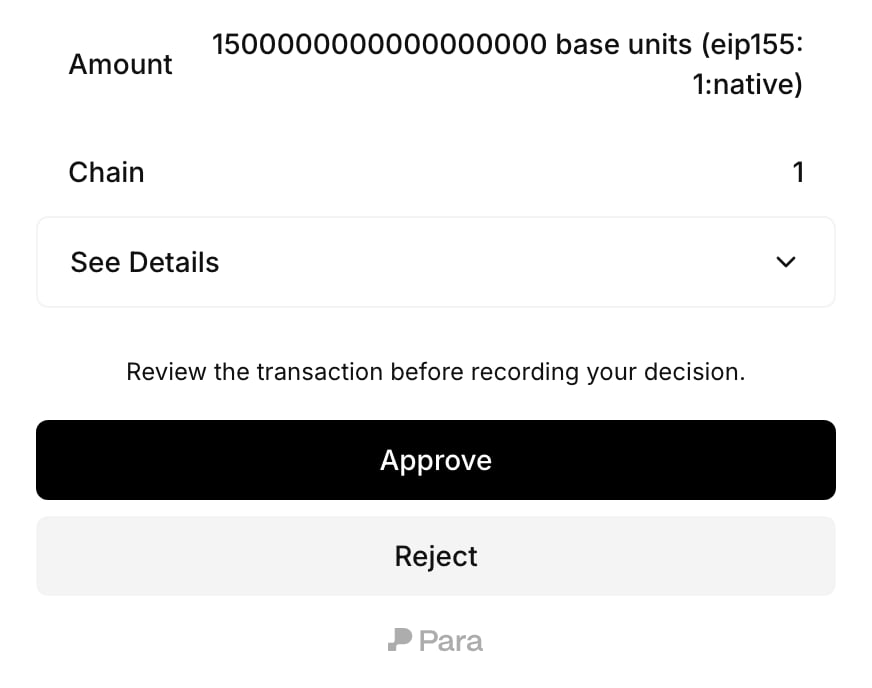
Para does not list the case among the requester's own cases, so show them its status from your backend. If they open the Portal approval page, it tells them **You requested this payment, so you cannot approve it.**
### Track the case
Read the case from your backend with `getPartnerApprovalCase(approvalCaseId)`. It returns the `status`, the stages with their approvals so far, and `expiresAt`. `listPartnerApprovalCases()` returns every case for your app, newest first.
```ts theme={null}
const approvalCase = await para.getPartnerApprovalCase(approvalCaseId);
```
### Continue after approval
When the case is `completed`, send the request again with the same `Idempotency-Key`. Para evaluates the request again and signs it.
You can rebuild the transaction before you resend it, for example when the wallet's nonce has moved on. A Safe transaction signed as typed data can change its Safe `nonce`, and also `safeTxGas` and `baseGas` when `gasPrice` is `0`, as it is in every Safe payment Para can read.
An EVM transaction can change its nonce, gas limit and fees. A Stellar transaction can change its fee, sequence number and signatures, the outer fee of a fee bump, and every precondition: time bounds, ledger bounds, `minSeqNum`, `minSeqAge`, `minSeqLedgerGap` and `extraSigners`.
Every other field is part of the approval, including `maxFeePerBlobGas` on an EIP-4844 blob transaction and, on a Soroban transaction, its resource fee, its declared resources and the nonce and signature expiration ledger of each authorization entry. Changing one of them needs a new approval.
A Solana, Cosmos or Sui transaction must be resent unchanged, and any other change returns `409` with `request already has a different conditional approval case`. Co-signed cases under `transaction_signature` evidence, and any retry after signing has started, must match the approved request exactly.
An approval under `authenticated_approval` evidence sets no fee ceiling. A rebuilt transaction can carry a higher network fee than the first attempt, so it can spend more of the fee payer's native balance. Para evaluates every rebuilt request against your current policies, and EVM rules on `request.gas.*` facts still apply. No fact holds an EVM transaction's total fee or a Stellar transaction's fee, and fees never count toward spending limits.
| Case status when you resend | Response |
| - | - |
| `pending` | `403 POLICY_REVIEW_REQUIRED` with `approvalCaseStatus: "pending"` |
| `completed` | The signed result |
| `rejected` | `403 POLICY_DENIED` with the reason `review-rejected` |
| `expired`, `invalidated` or `cancelled` | `403 POLICY_REVIEW_REQUIRED` with the ended status, on every resend |
An expired, invalidated or cancelled case stays attached to its key. Resending with the same `Idempotency-Key` keeps returning the ended case, and so does resending the same body without a key. To open a new case, send the request with a new `Idempotency-Key`.
To withdraw a request that is still waiting, cancel its case with `cancelPartnerApprovalCase(approvalCaseId)`.
Approvers act as signed-in Para users, through a client SDK in your app or the Para Portal page it opens for them. The REST API has no route that approves or rejects a case. The approver examples below run in that client app, not with `ParaRestClient`.
## Let approvers decide
Approvers act while signed in to Para through your app. They can decide in your own interface with the SDK, or on a Para Portal page that your app opens for them.
### Check whether the user can decide
`listAccessibleApprovalCases()` returns the cases the signed-in user can see, and `getAccessibleApprovalCase(caseId)` returns one of them. Each case includes a `decision` object for the current user:
| `decision` | Meaning |
| - | - |
| `{ canDecide: true, intents: ["approve", "reject"] }` | The user can approve or reject now. |
| `{ canDecide: false, reason: "not_eligible" }` | The user is not eligible for the current stage. |
| `{ canDecide: false, reason: "initiator" }` | The user started this request, so they cannot decide it. |
| `{ canDecide: false, reason: "already_decided" }` | The user has already approved or rejected. |
| `{ canDecide: false, reason: "case_terminal" }` | The case has ended. |
| `{ canDecide: false, reason: "authority_changed" }` | Someone who was eligible in a stage that has opened lost that eligibility, so the case is or will be `invalidated` with `authority_revoked`. |
Show approve and reject controls only when `decision.canDecide` is `true`. A refused decision returns `403` with the message `approval decision is not allowed` and a code that names why, such as `ACTOR_NOT_ELIGIBLE` or `CASE_TERMINAL`. After a failed decision, read the case again and render its current `decision`.
### Decide in your interface
Read the case, check `decision`, then record the decision for the signed-in approver:
```ts SDK theme={null}
const approvalCase = await para.getAccessibleApprovalCase(caseId);
if (approvalCase.decision.canDecide) {
await para.approveApprovalCase(caseId);
}
```
```tsx React hooks theme={null}
import {
useAccessibleApprovalCase,
useApproveApprovalCase,
useRejectApprovalCase,
} from "@getpara/react-sdk";
export function ApprovalButtons({ caseId }: { caseId: string }) {
const { data: approvalCase } = useAccessibleApprovalCase(caseId);
const { approveApprovalCase } = useApproveApprovalCase();
const { rejectApprovalCase } = useRejectApprovalCase();
if (!approvalCase?.decision.canDecide) return null;
return (
<>
);
}
```
React Native apps import the same hooks from `@getpara/react-native-wallet`. Use `rejectApprovalCase(caseId)` the same way to reject.
Each approval counts once toward its stage. The case completes when every stage that applies has its approvals, and a single rejection from an eligible approver ends it as `rejected`.
### Send approvers to the Para Portal
`getApprovalCaseReviewUrl({ caseId })` returns a link to the Portal approval page for the signed-in user. It reads the case first, so it throws for a user who cannot view the case. For the user who made the request, the error's `code` is `INITIATOR_CANNOT_REVIEW`; show them that the request is waiting for approvers instead. The method returns the URL without opening it.
```ts theme={null}
const reviewUrl = await para.getApprovalCaseReviewUrl({ caseId });
```
The page is titled **Review transaction approval** and shows a summary of the request with **Approve** and **Reject**. After a decision it shows **Approval recorded.** or **Request rejected.** with **Done**. While the case is pending, a user who cannot decide sees **This request is not available for you to approve.** with **Refresh**. Once the case has ended, the page shows its status instead, such as **This request is rejected.**, and a cancelled case shows **This request was cancelled by the requester or the app.** If the requester opens a link you shared with the whole team, the page shows **You requested this payment, so you cannot approve it.** without the decision buttons.
Cases whose requirement uses `evidence: "transaction_signature"` collect wallet signatures instead of approvals, and `approveApprovalCase` refuses them. The approval signatures page in this section covers that flow.
### Tell approvers about new cases
Para does not notify approvers. Your app decides who hears about a case and how. When approvers open your app, `listAccessibleApprovalCases()` works as their inbox. To reach them sooner, send the case ID or the Portal link through your own notifications. On your backend, `listAuthorizationScopeMembers(scopeId)` lists the people who hold assignments in a scope.
## Case lifecycle
A case starts as `pending` and ends in one of five statuses. Approvers read it with `getAccessibleApprovalCase`, the user who started it reads it with `getInitiatedApprovalCase`, and your backend reads it with `getPartnerApprovalCase`.
| Status | Meaning | What the initiator does next |
| - | - | - |
| `pending` | Waiting for approvals. | Wait, remind approvers, or cancel the case. |
| `completed` | Every stage that applies has its approvals. | Let the request sign, as described for your platform on this page. |
| `rejected` | An eligible approver rejected the request. | Tell the user who asked. The case cannot reopen. |
| `expired` | Seven days passed before the case completed. | Start a new request if it is still needed. |
| `invalidated` | Something the case depends on changed. `terminalReason` says what. | Start a new request under the current setup. |
| `cancelled` | The requester or your backend withdrew the case while it was pending. `terminalReason` is `case_cancelled`. | Nothing. Start a new request if it is needed again. |
These rules decide how a case progresses:
* A case lasts seven days from when it opens, until `expiresAt`. A completed case can sign only before `expiresAt`, and only once: signing uses it up.
* Stages run in order. `currentStageIndex` points to the open stage, and each entry in `stages` lists `requiredApprovals`, `eligibleActorCount` and `approvedActorIds`. With `"all"`, the stage needs every person who was eligible when it opened, which works only while at most 25 people are eligible.
* Para records who is eligible when each stage opens. Assigning a role later does not add that person to a stage that is already open.
* A person counts once per case. Someone who approved an earlier stage cannot approve a later one.
* The initiator cannot approve or reject their own case. Signature collections are the exception: an eligible initiator can add their own signature.
* When your backend signs with `initiatorUserId`, Para leaves that user out of every stage, even if they hold an approver role.
* `decisions` lists every vote with its stage and time.
The Portal approval page never shows `expiresAt` or `terminalReason`. If approvers need either, show them in your app from the case fields.
### Cancel a pending case
Withdraw a request that is still waiting, for example when the user changes their mind.
| Who cancels | Method |
| - | - |
| The user who made the request, or the user named in `initiatorUserId` | `cancelApprovalCase(caseId)` from their signed-in session, or the `useCancelApprovalCase` hook |
| Your backend, for any case in your app | `cancelPartnerApprovalCase(caseId)` with the REST SDK and your secret API key |
```ts theme={null}
await para.cancelApprovalCase(caseId);
```
Only a `pending` case can be cancelled. The case ends with status `cancelled` and `terminalReason` `case_cancelled`. When a pending transaction from a user's wallet is waiting on the case, Para discards it, so that request never signs. A request that should still go ahead needs a new attempt, which opens a new case.
Cancelling a case that is no longer pending returns `409` with `conditional approval case is not pending`. A signing call that is still waiting on the discarded transaction throws `TransactionReviewDenied`.
## Changing a policy with open approvals
Para checks an open case against the current setup whenever the case is read, decided or used to sign. If something the case depends on has changed, the case becomes `invalidated`, and `terminalReason` says why. The common reasons are:
| Change | `terminalReason` |
| - | - |
| A policy that applies to the request is activated, replaced or turned off, or a time window opens or closes | `authorization_stack_changed` |
| The wallet is bound to a different authorization scope | `authorization_scope_changed` |
| The requirement's adjustable approval settings change | `requirement_configuration_changed` |
| The requirement no longer exists for the wallet's scope | `requirement_unavailable` |
| A person who was eligible in a stage that has opened loses the role or attribute that made them eligible, whether or not they voted | `authority_revoked` |
| A later stage has too few eligible people, or more than 25 for an `"all"` stage, when the stage before it completes | `stage_snapshot_invalid` |
| The request, sent again, resolves to a different requirement | `request_or_requirement_changed` |
| The wallet owner's own review of the request no longer holds | `owner_review_changed` |
| The request is sent again and Para signs it without needing approval | `request_allowed_without_approval` |
A later stage that would have more than 100 eligible people does not end the case. The approval that completes the stage before it fails with `400` and `approval stage resolves to more than 100 eligible people`, and the case stays `pending` until the assignments change or it expires.
An approval case that has not been used to sign is invalidated when the active policies that apply to its request change, for example when a policy is replaced, activated or turned off. An invalidated case cannot complete, so start a new request to open a new case.
Signature collections work differently. A policy change ends a collection only when its own policy version stops applying, for example because it was replaced or turned off, and its `terminalReason` is then `requirement_unavailable`.
### Confirm changes that affect open cases
An approval case is open while it is `pending`, and after it completes until it is used to sign or expires. Para refuses a change that would invalidate open cases until you confirm it. A confirmed change ends those cases as `invalidated`, and their requests need a new attempt.
Through the API, a refused change returns `409` with code `APPROVAL_CASES_AFFECTED` and the case IDs in `affectedCaseIds`, and nothing changes. To confirm it, send the same change again with `force: true`.
The REST SDK throws this refusal as a `ParaRestError`, and the client SDKs that configuration managers use throw `PermissionsV2ApprovalCasesAffectedError`. Both carry `affectedCaseIds`. The check covers replacing, activating and turning off a policy, changing a user's assignments, moving a wallet to another scope, and saving or resetting adjustable approval settings.
In the Developer Portal and the CLI, you confirm the change when Para asks:
| Tool | What you see | To apply the change |
| - | - | - |
| Developer Portal | A dialog, **Invalidate open approval cases?**, with the number of affected cases. **Cancel** leaves everything as it was. | **Save anyway**, **Activate anyway**, **Turn off anyway** or **Turn on anyway** |
| CLI | A prompt with the number of affected cases. With `--yes`, the command prints the error message and exits with code `10`. With `--json`, the printed error also has `errorCode` `PERMISSIONS_V2_APPROVAL_CASES_AFFECTED` and the case IDs in `details.affectedCaseIds`. | `--force` on `replace`, `activate` or `deactivate` |
Changes that happen without a write, such as a policy's time window opening or closing, invalidate cases without asking.
This documentation is built and hosted on [Mintlify](https://mintlify.com), a developer documentation platform.